aerofly-startgeraet
 Aerofly Startgerät - GUI App
Requirements
This application supports computers running Microsoft Windows, Apple macOS and Linux. For Linux a Debian installer as well as an AppImage is provided, which should run on most versions of Linux.
Installation
- Download the latest Aerofly Startgerät GUI app from the Github releases at https://github.com/fboes/aerofly-startgeraet/releases/.
- Double-click the downloaded installer to set-up the application on your system (see below).
- Start the Aerofly Startgerät GUI app (see below).
macOS Gatekeeper
macOS may block the file as it is from an unidentified developer. To allow it:
xattr -dr com.apple.quarantine aerofly-startgeraet-gui-macos
Or via System Settings → Privacy & Security → Allow anyway.
Windows
Windows may block the file as it is from an unidentified developer. To allow it, ignore the warning about the application being not certified by using the “More info” button.
Usage
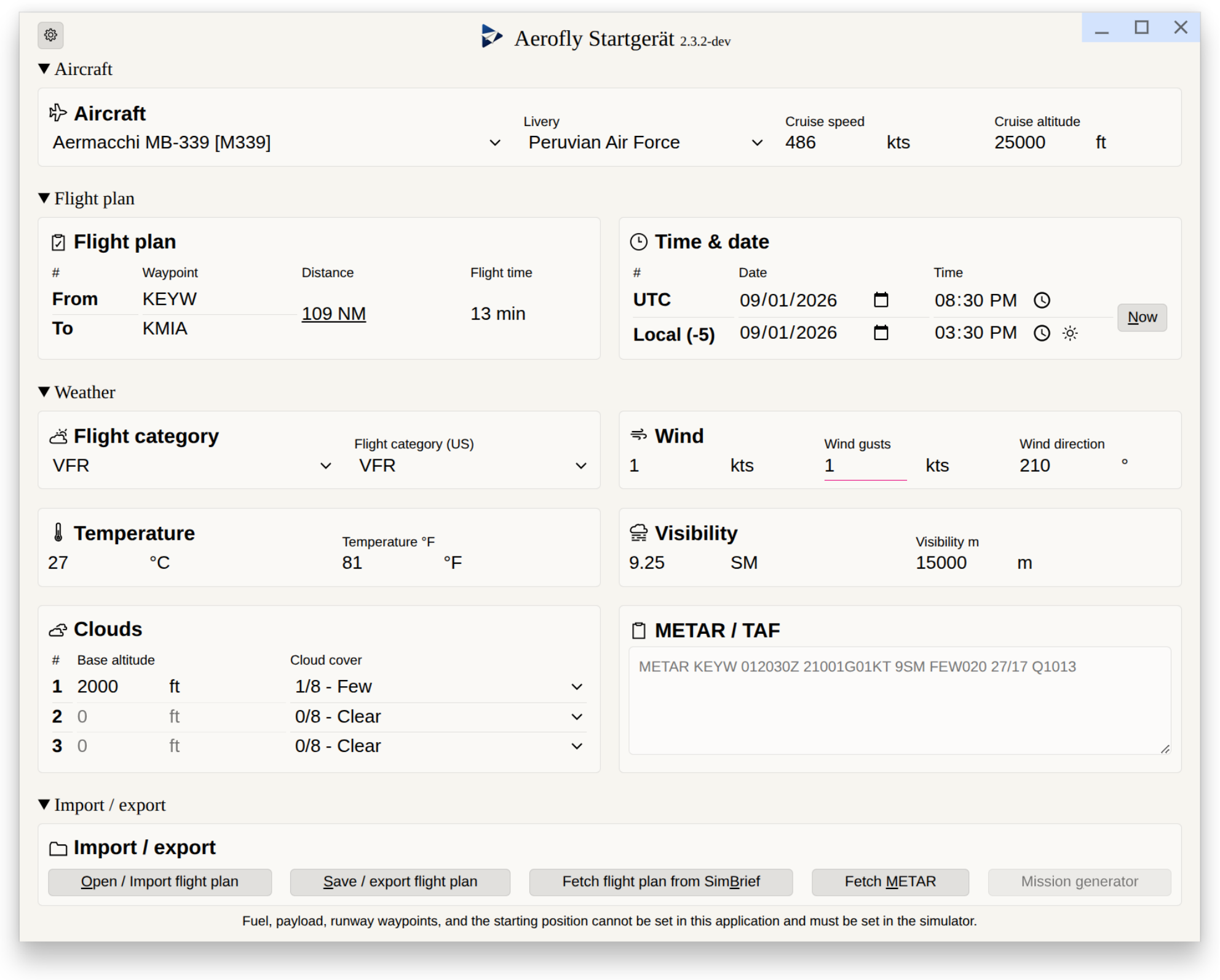
Call this tool by double-clicking the GUI app. On a successful start-up, you will see the main app window.
[!WARNING] The Aerofly Startgerät may break your
main.mcf. Be sure to have a backup of this file.
On start-up this will load the current settings of Aerofly FS 4 by inspecting the main.mcf configuration file. If the file cannot be found automatically, the Aerofly Startgerät will ask for its location.
On changing settings in the Aerofly Startgerät, these settings will be written (with a slight delay) to the main.mcf. On closing the application, the main.mcf gets updated with the settings from the Aerofly Startgerät in any case.